
Cloud-based TMS platforms like XTM, Phrase, and Smartling continue to shape the way localization is managed at scale. They streamline workflows, centralize resources, and facilitate real-time collaboration across global teams.
However, for those of us working closely with enterprise clients, we know that having the right tools isn’t just about automation—it’s about control. And sometimes, control is exactly what’s missing.
In my earlier blog post, XTM Cloud and the TM Management Struggle: Why Clean Data Still Feels Out of Reach, I discussed the persistent pain points around Translation Memory (TM) workflows—specifically the challenges of batch importing multilingual data and dealing with vague error messages during TM imports.
So rather than revisiting those frustrations, this post is about what I’ve done to work around them.
When it came to keeping large-scale TMs clean and metadata-aligned, I found myself reaching for an unlikely ally: Olifant, a lightweight, old-school translation memory editor from the Okapi Framework. It’s not fancy—but it consistently delivers where more modern tools fall short.
Taking Back Control Over TMX Files
Olifant gave me what XTM didn’t: visibility and control. I could open TMX files, sort by metadata, and instantly identify mismatched segments. Batch filtering, manual edits, and metadata corrections were intuitive. No developer needed. No scripting. Just one tool and a few focused sessions.
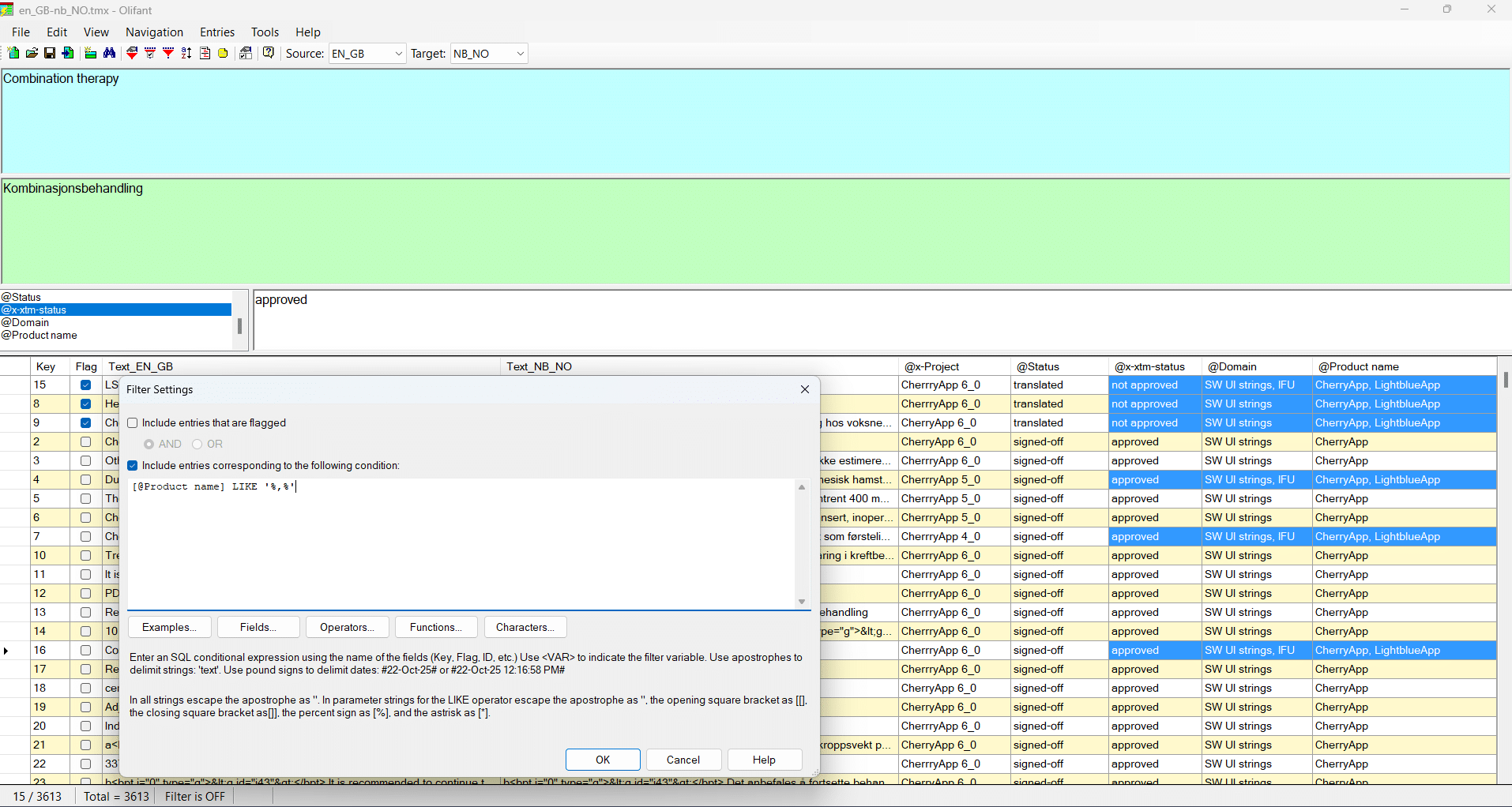
A look at Olifant’s TMX editor. It’s like working in a spreadsheet—but with full TMX control.
More importantly, Olifant let me clean and prep TMX files before importing into XTM Cloud. That meant my segment variants stayed aligned, and I didn’t have to split TMs by product line just to maintain integrity. Instead, I created one master memory that scales cleanly over time.
That said, regular maintenance is still a must. I’ve built in periodic TM checks using Olifant—it’s my go-to tool for keeping things tidy.
Filtering with Ease
Olifant’s UI is vintage, but it’s also dead simple. Open a TMX file and you’ll see exactly what you need. With filters and SQL-like expressions, spotting TM pollution becomes effortless. You can fix metadata issues on the spot and re-import a clean file into XTM Cloud.
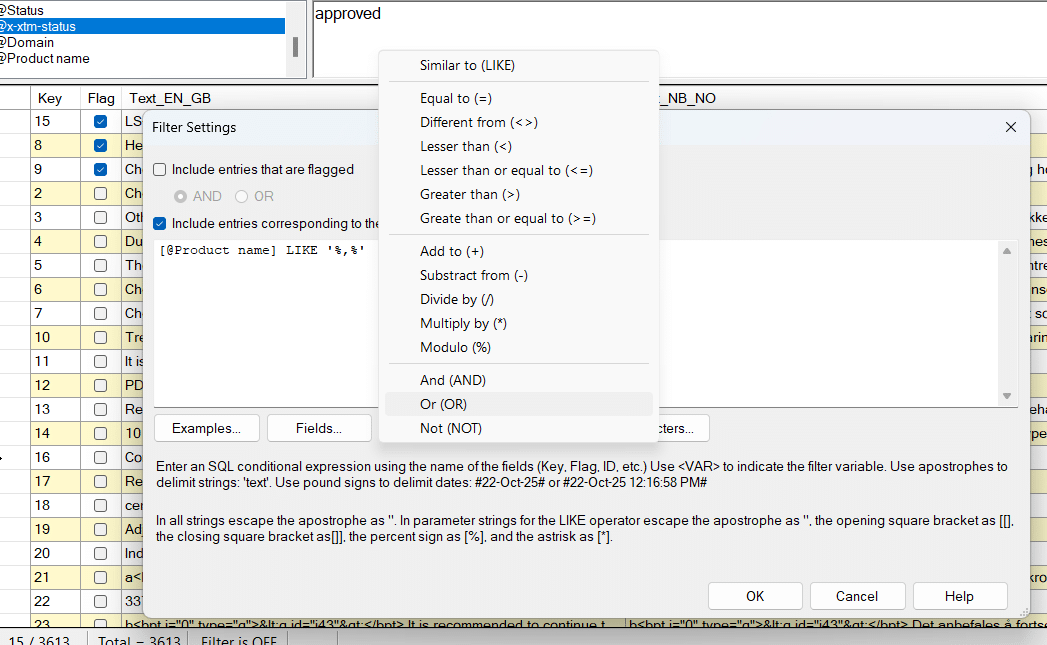
Filtering segments by product or document type. SQL expressions help isolate and fix incorrect entries.
I don’t need deep SQL knowledge—ChatGPT helps refine my queries when needed.
Why It’s Still Part of My Workflow
XTM still powers the majority of my translation projects, but when TM structure and accuracy really matter, Olifant is now a permanent part of my toolkit. It’s not flashy—but it gets the job done. And sometimes, that’s exactly what you need.
My goal in sharing this is simple: to highlight that I still rely on a third-party tool for core TM tasks. Ideally, cloud-based platforms like XTM would incorporate more robust TM editing and QA features directly into their ecosystem. If they did, project managers like me would be forever grateful.
What About You?
Do you share the pain of manually untangling TM records or second-guessing your imports? What tools are helping you stay in control of your translation memories?
I’d love to hear how others are navigating the quirks of cloud-based localization.