
The localization industry is undeniably shifting toward cloud-based platforms. Tools like XTM Cloud have reshaped how we manage multilingual content, offering real-time collaboration, centralized assets, and scalable workflows. As a freelancer working closely with clients from large organizations, I see firsthand how XTM reflects the direction the industry is heading—one that aligns with the complexity and pace of today’s localization demands.
While XTM offers many advantages, there are still practical gaps—especially when it comes to Translation Memory (TM) management. These limitations don’t necessarily outweigh the benefits, but they do create friction in daily work. Over time, this friction accumulates and starts to impact efficiency, TM quality, and the overall trust we place in the system.
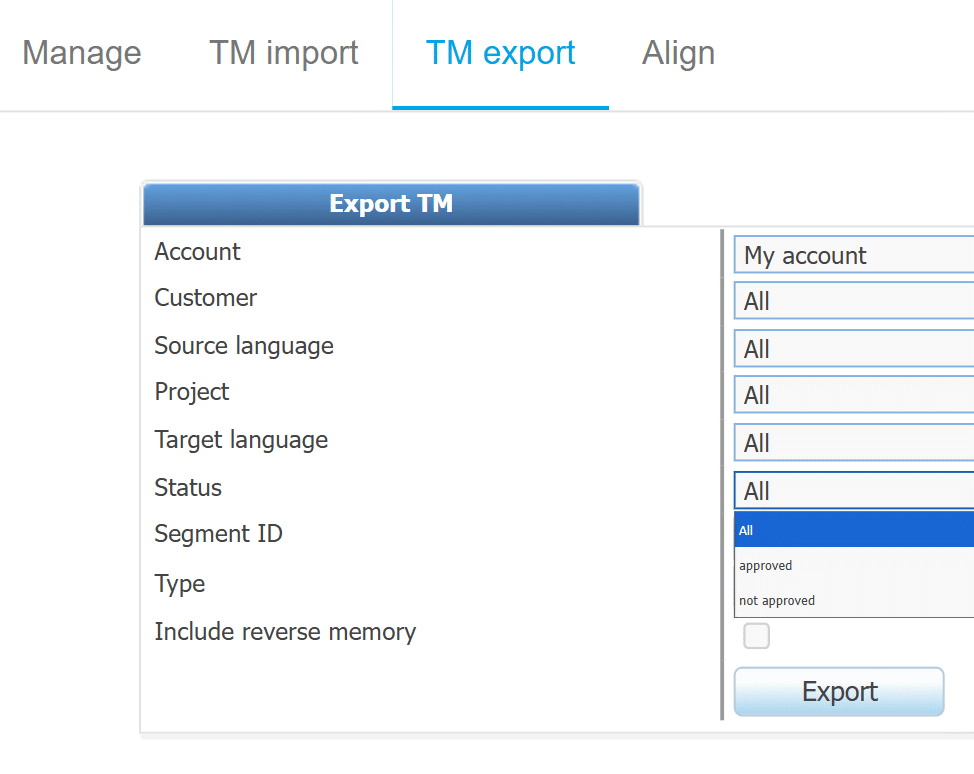
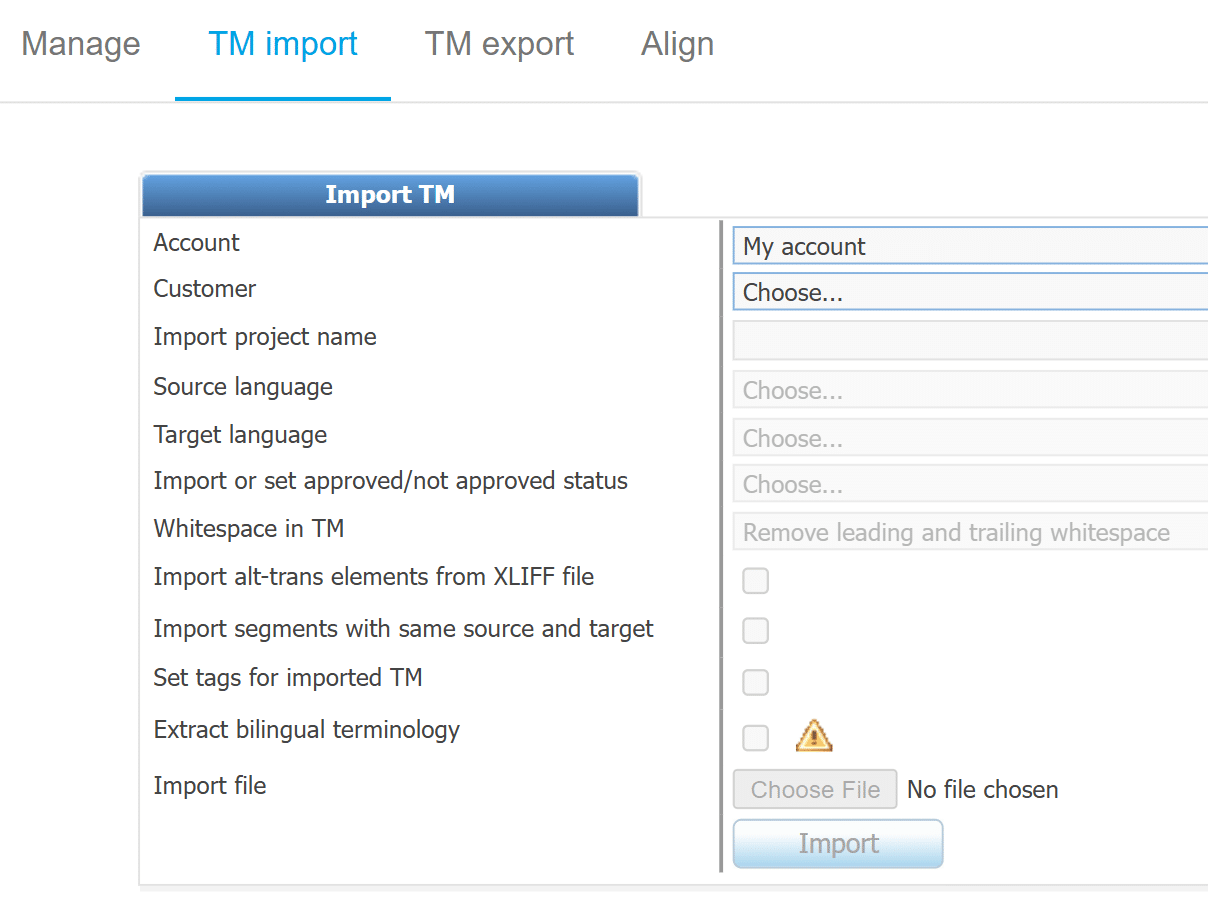
One recurring frustration is the need to handle both imports and exports language by language, without any option for batch processing. Even more time-consuming is the fact that XTM doesn’t retain your previous settings for these actions. Each time, I have to manually reconfigure the same options, with no ability to save presets or apply configurations globally. Over multiple languages and frequent updates, this becomes a repetitive and error-prone task.
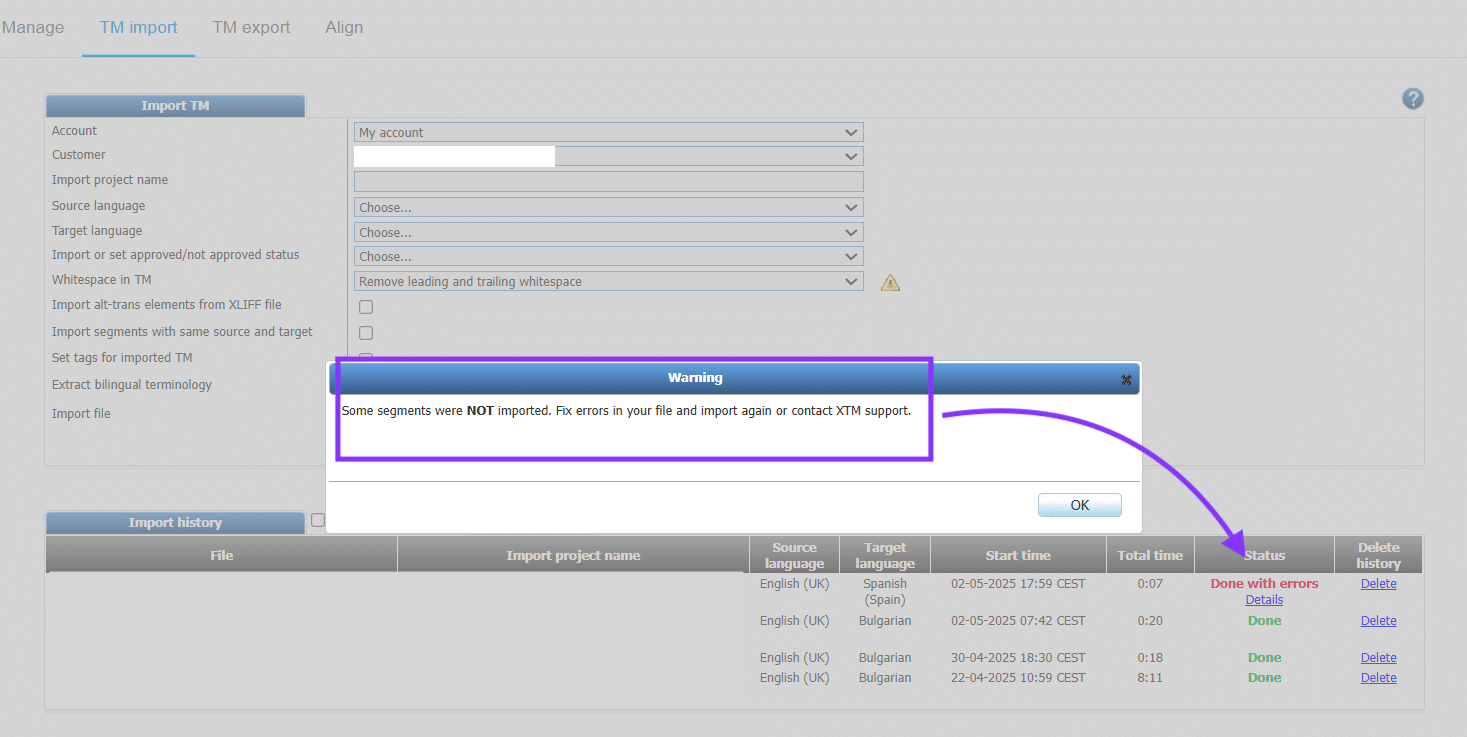
Another limitation is the lack of transparency when imports fail. While XTM may report that a TM import completed “with errors,” it doesn’t provide details on which segments caused the failure or what went wrong. Without this insight, it becomes impossible to troubleshoot or validate the outcome, leaving users with unresolved issues and no clear path to correction.
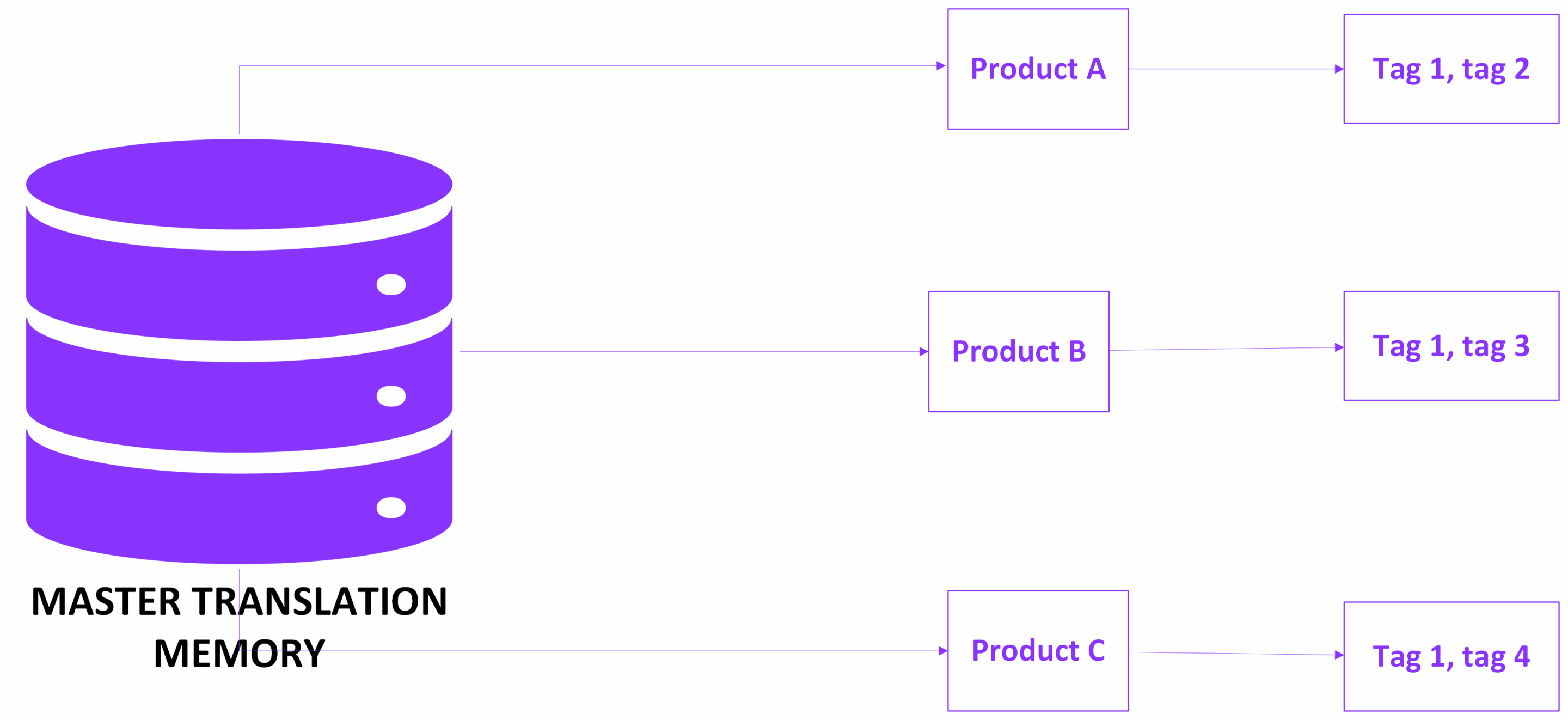
These shortcomings become even more problematic when combined with how XTM handles metadata—particularly tags used to distinguish between document and product types. In an ideal scenario, we aim to maintain a single master TM that stores unique segments per metadata combination, ensuring clean and purposeful leveraging across different contexts.
However, this logic breaks down during real project work. XTM often presents penalized TM suggestions—records that differ slightly in tag configuration. If such suggestions are confirmed, the system doesn’t create a new entry reflecting the new context. Instead, it overwrites the existing record, appending the new tags and blending previously distinct use cases. As a result, segments become associated with multiple products or document types, polluting the TM. In practice, this forces a move away from centralized memory toward maintaining separate TMs just to preserve data integrity.
I encountered this firsthand during a regression test, where I deliberately structured projects with specific tag combinations to verify XTM’s behavior. Despite configuring the system to differentiate by tags, source, and inline formatting, it failed to generate new entries. The system overwrote penalized matches instead, exactly the behavior we were trying to avoid. It was a clear example of how metadata handling and system logic don’t always align—and how easily a well-planned TM strategy can unravel.
These issues highlight the need for XTM to evolve in ways that better support TM governance and long-term scalability. Features like batch operations, persistent configuration settings, and more transparent logging aren’t just conveniences—they’re essential for professionals who need to maintain clean, structured, and context-aware translation memories across complex projects.
Despite these challenges, I continue to work with XTM because it aligns with where the industry is headed. Its infrastructure supports the kind of cross-team, cross-market collaboration that modern localization demands. But for XTM to truly serve as a long-term solution, it needs to grow into a tool that not only scales, but also supports the accuracy, traceability, and control professionals need to protect the quality of their TMs.
If you’ve encountered similar issues—whether in XTM or another platform—I’d love to hear how you’re handling them. What workarounds have helped you preserve TM quality? You may share your thoughts or experiences via the button below.